There are no items in your cart
Add More
Add More
| Item Details | Price | ||
|---|---|---|---|

Sun Nov 15, 2026 · by Kong
Opening a TikTok Shop takes about one or two days. Getting your first real orders takes much longer, and most new sellers in Malaysia lose time on small setup mistakes they could have avoided in the first hour: picking the wrong seller type, missing a document, or forgetting to link the shop to the TikTok account they actually post from.
This guide walks you through how to sell on TikTok Shop Malaysia from zero, in the same order I show beginners: the two apps you need, registering your shop, linking it to your videos, adding products, shipping your first order, and the five places TikTok Shop sales actually come from. My step-by-step video is above if you want to see the screens.
This post is for you if you:
To set up TikTok Shop in Malaysia, register on TikTok Seller Center, choose individual or company seller, and upload your IC or SSM documents plus your TIN (tax identification number). Approval usually takes one or two days. Then link your TikTok account in Settings, add products with at least five photos, and start promoting.
📌 Found this useful? Save this infographic or share it with a friend who sells online: WhatsApp · Facebook · Pinterest
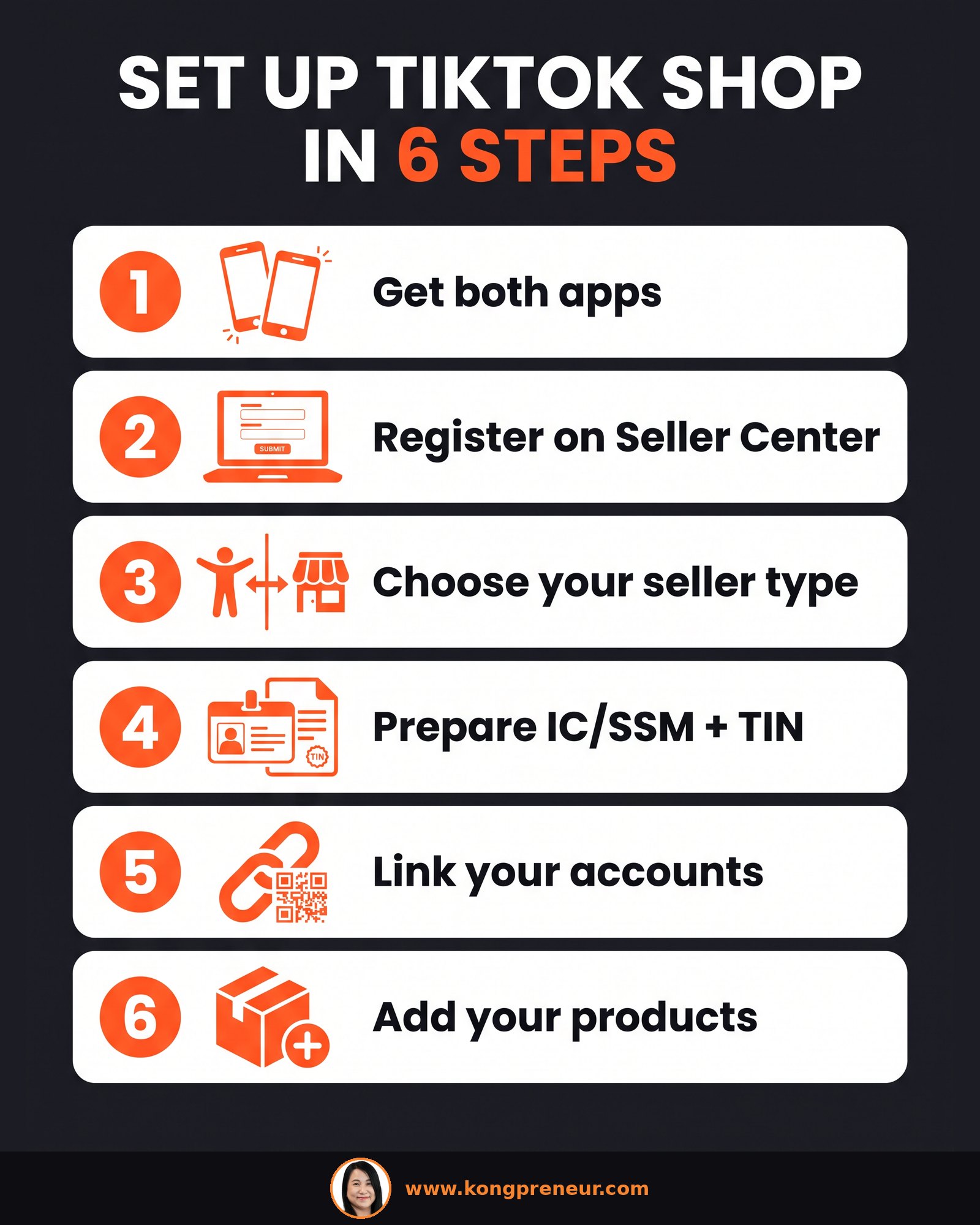
TikTok Shop is actually two different apps. The first is the normal TikTok app, where you post your videos and go live. The second is the TikTok Seller app (and its desktop version, TikTok Seller Center), where you run the shop itself: products, orders, promotions and affiliates.
The two must be linked together. Until they are, your videos and your shop don't talk to each other, and you can't sell from your videos.
For your first time, I strongly suggest you register through TikTok Seller Center rather than fiddling around inside the TikTok app. Click to register, log in, and it will walk you through opening the shop. You'll come back to Seller Center often to manage products and orders anyway.
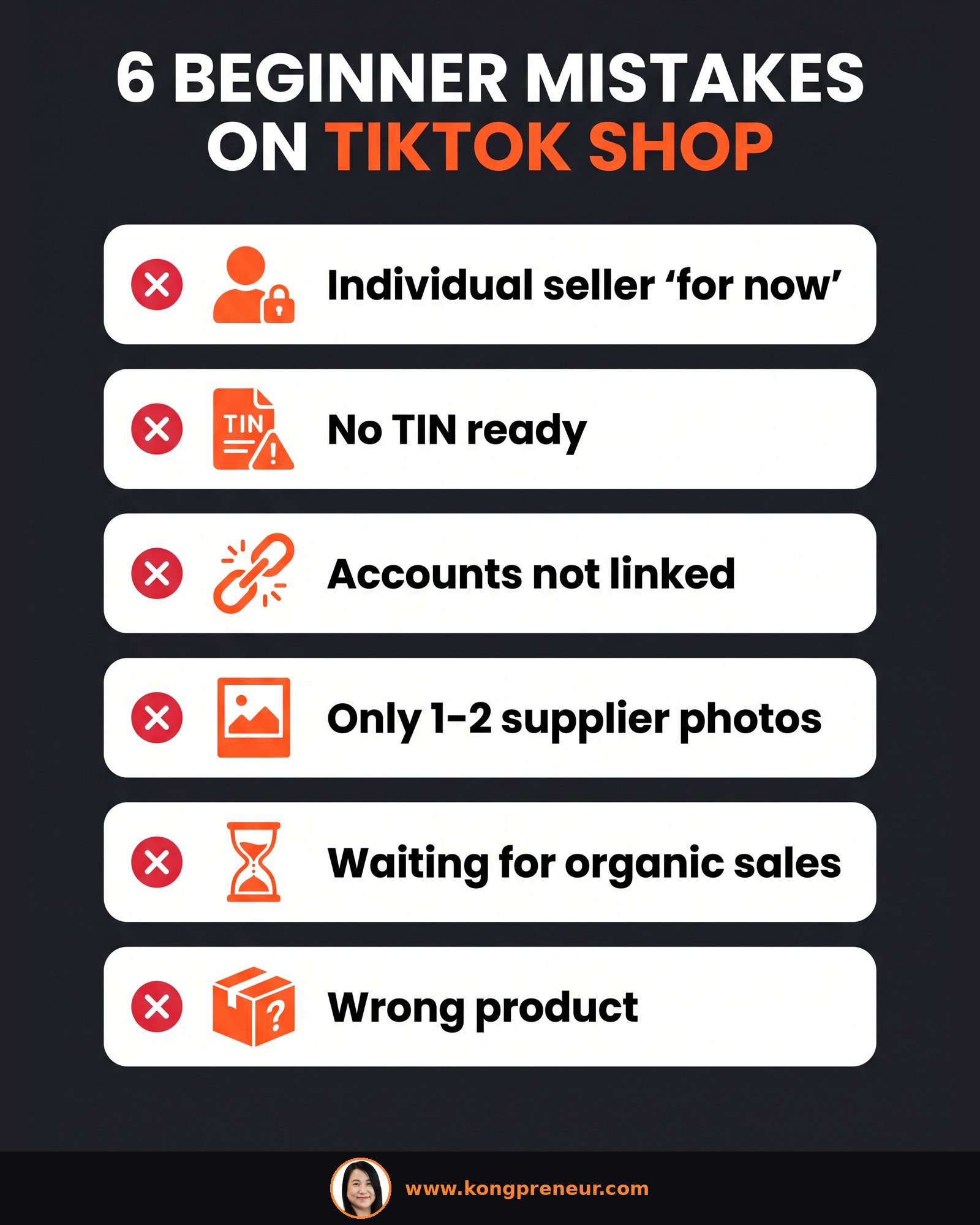
During registration, TikTok asks whether you want to be an individual seller or a company seller. Choose wisely, because this is very hard to change later. It's possible, but it's a headache you don't want.
Have your documents ready before you begin. You'll upload either your IC (for an individual seller) or your SSM company documents (for a company seller). Very important: you also need a tax identification number (TIN).
When everything is ready and matches, your documents are approved much faster. Once you submit, approval usually takes about one or two days, and then you can start selling.
This is the step people forget. After you're approved, go to Settings (near the upper right corner of Seller Center), then Linked Accounts. Press Link, and a QR code will appear. Scan it with the TikTok account you post your videos from, and confirm.
Once linked, every product you list in Seller Center syncs directly to your video account. That's what lets you tag products and sell with the yellow bag in your videos and lives.
Go to Products, then Add products. Fill in everything the form asks for:
Don't rush the pictures. Customers today are lazy to read long descriptions, so your images need to explain the product for you. Before you design anything, study how your competitors design their images and what promotions they run. Images that work well include "us vs others" comparisons, size in real measurements, practical proof like "fits into a handbag", clear benefits, and lifestyle shots of the product in use. They don't need to be design-perfect. They need to explain everything at a glance.
When an order comes in, you'll see it under Orders. Anything marked To Ship means you haven't processed it yet.
One thing that surprises new sellers: for a new shop, nobody comes to pick up your parcels. You have to drop them off at the courier's designated centre yourself. If your courier is J&T, you send it to J&T; if it's Ninja Van, you send it to Ninja. Once you're getting more orders, normally around ten to fifteen orders a day, the courier will start coming to your place to pick them up automatically.
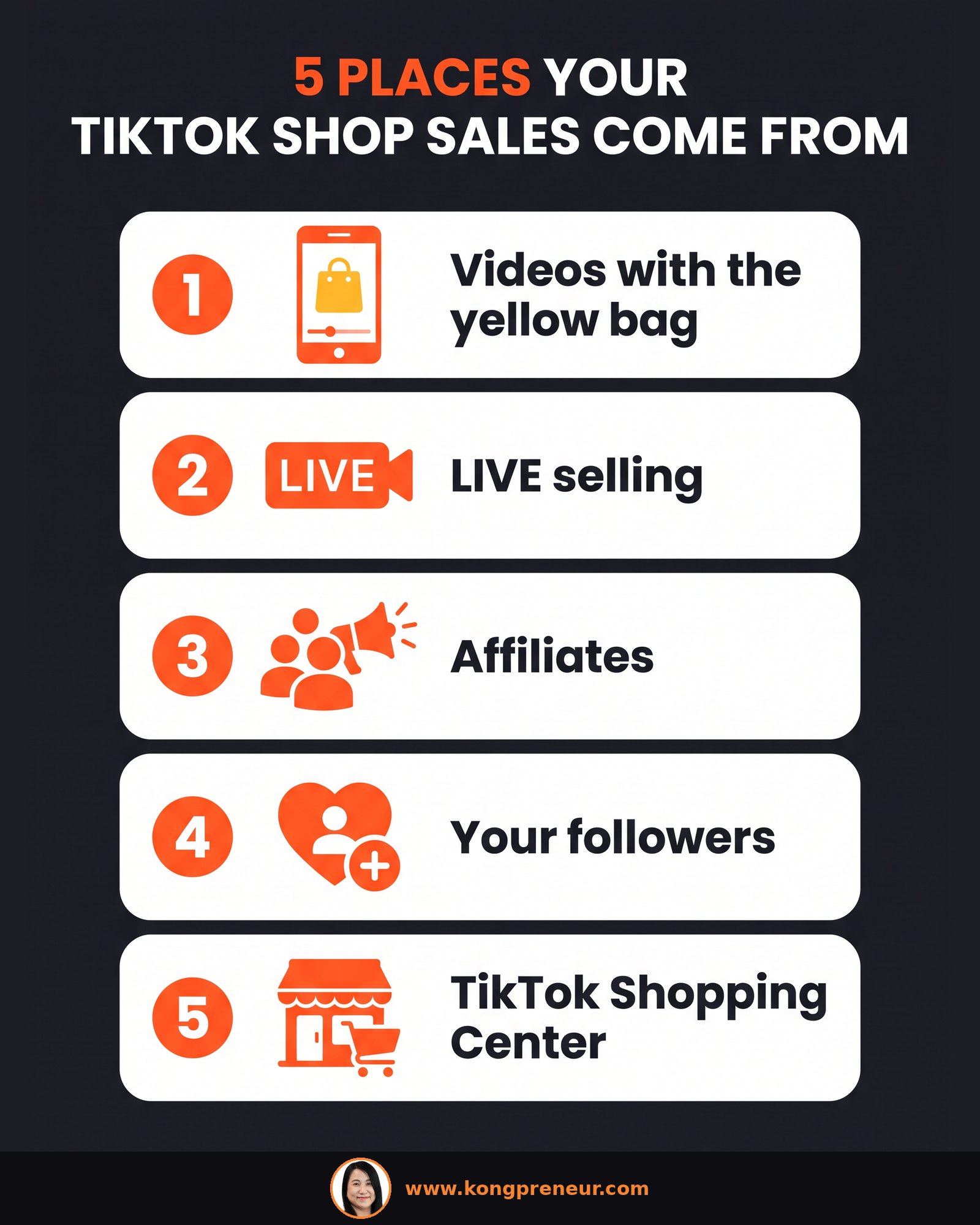
Opening the shop is the easy part. Listing a product and waiting does not bring sales. You need to do loads of marketing, and on TikTok Shop there are five places your orders come from. The top sellers work all five at once:
📌 Found this useful? Save this infographic or share it with a friend who sells online: WhatsApp · Facebook · Pinterest
Post videos and tag your product with the yellow bag, as many as possible. Aim for at least 30 to 60 videos per month. Every video is another chance for someone to see your product and tap the bag.
Go live at least three to four times a week, with each live running about two hours. Live is also where flash sales and vouchers work best, because viewers can buy on the spot.
Get as many affiliates as possible to promote your products from their own accounts. They put your yellow bag in their videos, the link goes back to your shop, and the orders come to you. You set this up under Affiliates in Seller Center.
A tip from what I see with my seller students: affiliates look at your items sold and your 5-star reviews before they agree to make content. Nobody wants to push an unknown product with zero reviews. So build your own hype first with your own videos and ads. I explain this in detail in why KOLs ignore new products on TikTok Shop.
Get as many followers as you can. When people visit your profile, they see your product showcase, and they click and scroll through it. A simple way to grow: post tips and value for your target audience every single day, and if you're impatient, run a small promote or follower ad on top. Simple talking-to-camera videos work better than polished Canva-style posts.
The last one, and one of the most important, is the TikTok Shopping Center. You can run ads to boost your products to the top, or join flash sales so your products appear there. On top of this, run GMV Max lower-funnel ads to push buyers who are already close to purchasing.
Seller Center has a whole marketing section where you can set up promotions. The ones we normally use are coupons and vouchers, and flash sales during live. Combine these with the five places above.
When sellers ask me which tool is the "most important", my answer is always the same: the one you haven't used yet. Big wins don't come from one magic tool. They come from using all of them, videos, live, affiliates, vouchers, flash sales and ads, to the max. The same is true on Shopee; if you want to see how much sellers typically budget for ads, read my guide on how much to spend on Shopee ads.
📌 Found this useful? Save this infographic or share it with a friend who sells online: WhatsApp · Facebook · Pinterest
Let me be honest. The setup is quick, but sales take consistent work. Your first weeks are about learning the system: posting videos, trying your first lives, fixing your product photos, and getting your first reviews. As orders grow, courier pickups start and affiliates become easier to attract.
There's no fixed timeline and no guaranteed number. Results depend on marketing investment, consistency and product differentiation. A seller who posts every day, goes live every week and budgets for ads usually learns much faster than one who lists and waits.
Why do I teach it this way? I've been an active online seller on Lazada, Shopee and TikTok Shop for more than nine years, and I'm an HRDF-certified trainer and a Lazada Senior Certified Trainer. I've trained more than 1,000 students, so I've watched a lot of beginners go through exactly these first steps. If you'd like to know more about my work as a TikTok trainer in Malaysia, my homepage has the details.
If you want someone to look at your shop, your products and your numbers with you, my private e-commerce training is customized to your level and your product category, whether you're just starting out or your sales have stalled. Classes are face-to-face or on Zoom, in English or Malay, and they're HRDF claimable.
To ask about a class, WhatsApp +60 19-801 9538 or email kong@kongpreneur.com.
Usually about one or two days after you submit your documents. Having your IC or SSM and your TIN ready makes approval faster.
If you plan to sell long term, register as a company. Individual seller is only for Malaysians, and changing your seller type later is very hard.
Yes, but you need a registered company to open the shop. Individual seller accounts are only for Malaysians.
Link your TikTok account in Seller Center under Settings, then Linked Accounts, by scanning the QR code. Your listed products then sync to your account, and you can tag them with the yellow bag.
Aim for at least 30 to 60 videos a month with the yellow bag, plus live sessions three to four times a week, about two hours each.